

 Facebook
 Twitter
 LinkedIn

File Request by cloudHQ lets you request files from anyone and receive them directly in your Google Drive. It adds a simple file request feature to Gmail so you can ask clients, customers, teammates, students, or vendors to upload files without the usual back and forth.
Google Workspace Add-On and Gmail Chrome Extension
Problem: Collecting files via email is chaotic
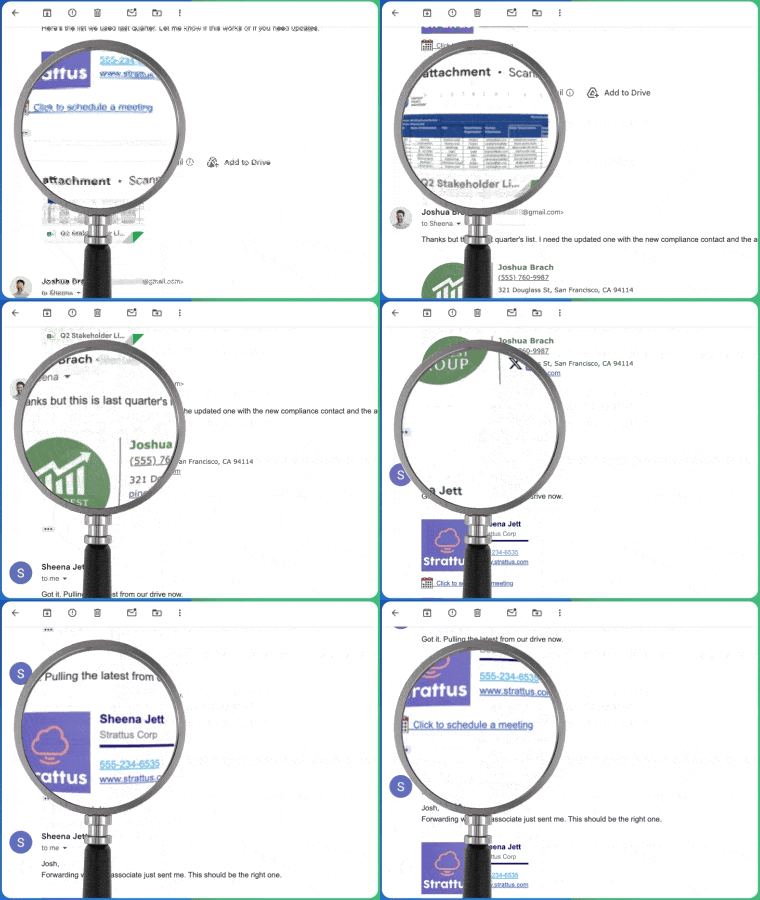
Collecting files through email gets messy fast. Attachments are spread across threads, files end up in the wrong places, and there is no clear way to track who has sent what. Important documents get buried, and following up for missing files wastes valuable time every week.
Solution: File Request for Gmail
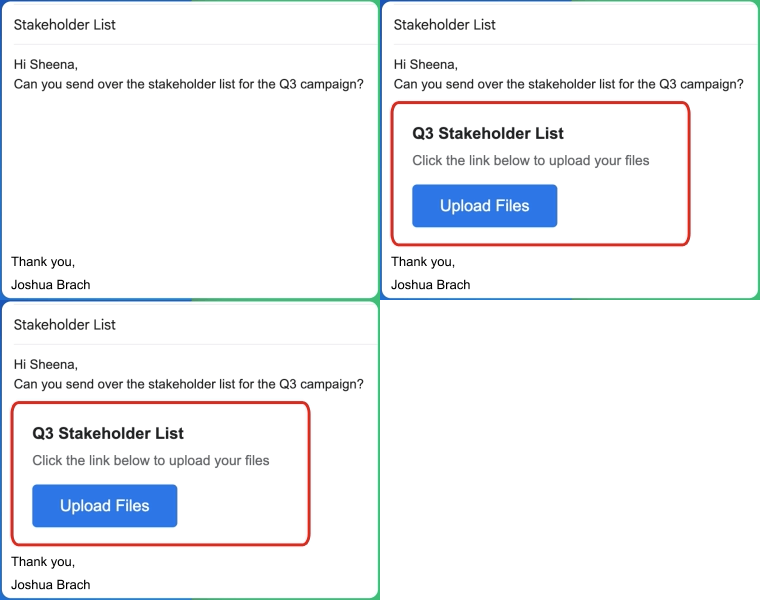
File Request for Gmail by cloudHQ lets you create a shareable upload link right from the Gmail compose window. Just choose a Google Drive folder, name your request, and insert the link into your email. Recipients click the link and upload files directly to your Drive, no Google account required. Every file arrives in the right place, organized and ready to use.
Create shareable file request links
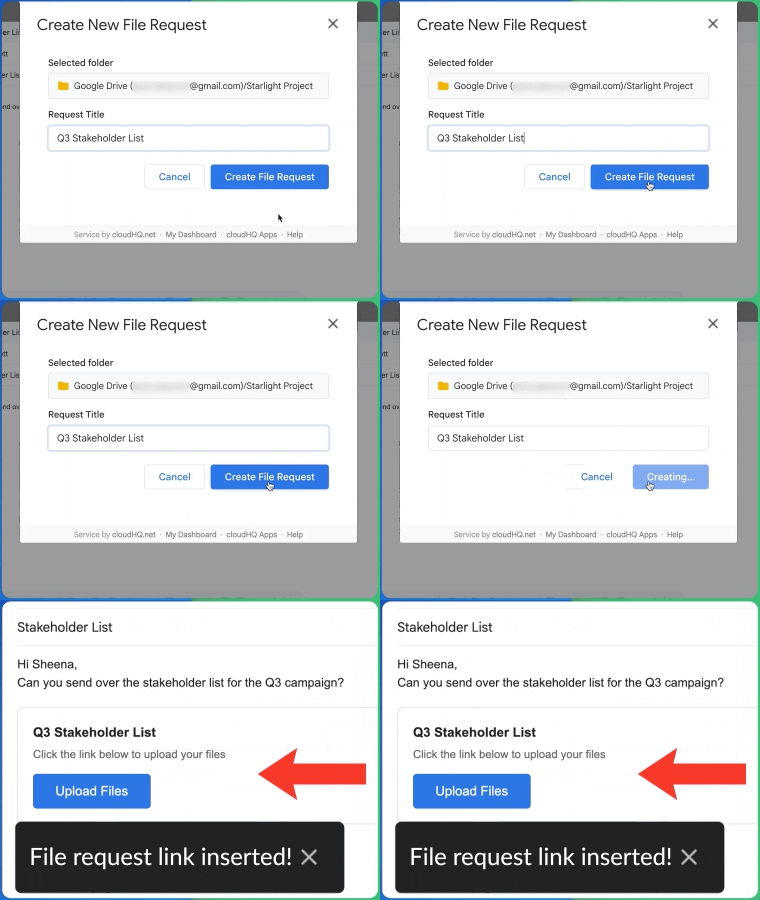
Generate a unique upload link in seconds right from your Gmail compose window. Name your request, choose a destination folder in Google Drive, and your link is ready to share. Each request gets its own upload page, where recipients can drag and drop files or browse to upload them. Create as many file request links as you need for different projects, clients, or departments.
Files Go Directly to Your Google Drive
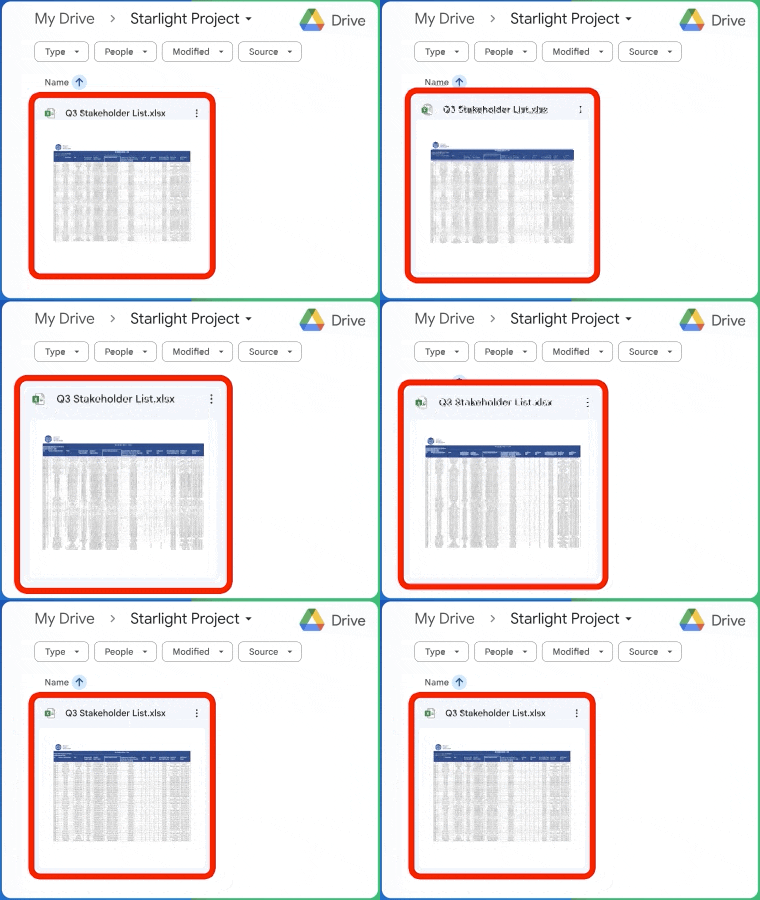
Every file uploaded through your request link goes straight into the Google Drive folder you selected. There is no need to download attachments, rename files, or manually move them into the right location. Files arrive organized and accessible from any device. Your Google Drive becomes the single source of truth for all collected files.
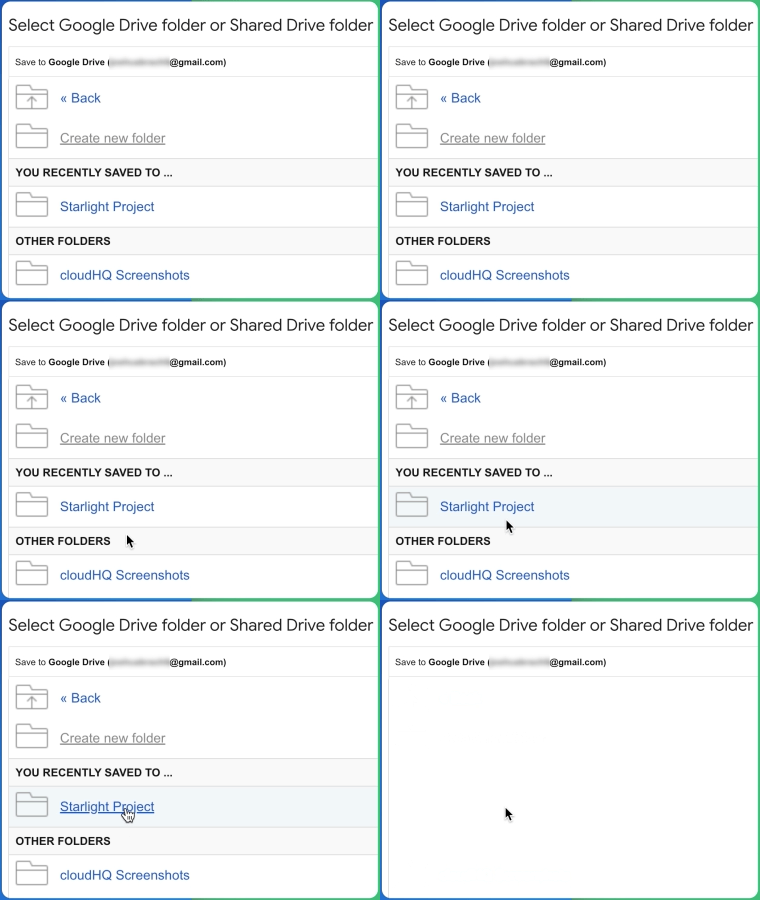
Select any Google Drive or Shared Google Drive folder
When you create a file request, you can choose any folder in your personal Google Drive or any Shared Drive you have access to. This makes it easy for teams to collect files directly into shared project folders without any extra work. Whether you are gathering documents for a client project, collecting invoices for accounting, or receiving assignments from students, every file lands exactly where you want it.
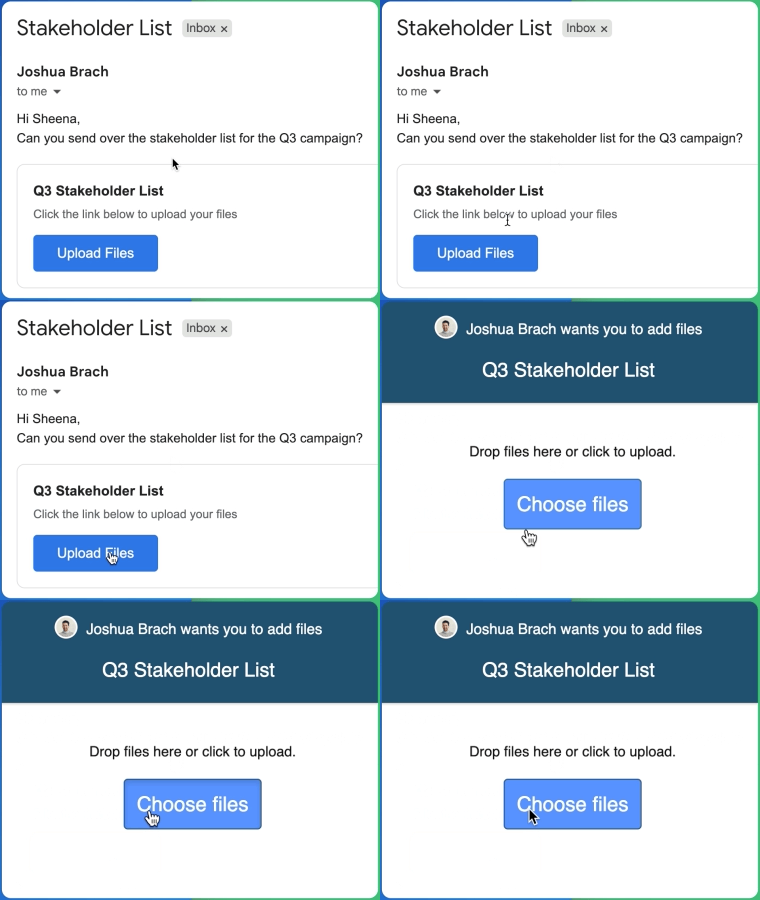
Anyone Can Upload Files Without a Google Account
Anyone with the link can upload files, whether or not they have a Google account. They simply click the link, choose their files, and upload. This makes things easier for external clients, vendors, and partners who may not use Google services. The upload page works in any browser and on any device, so sending files is simple for everyone.
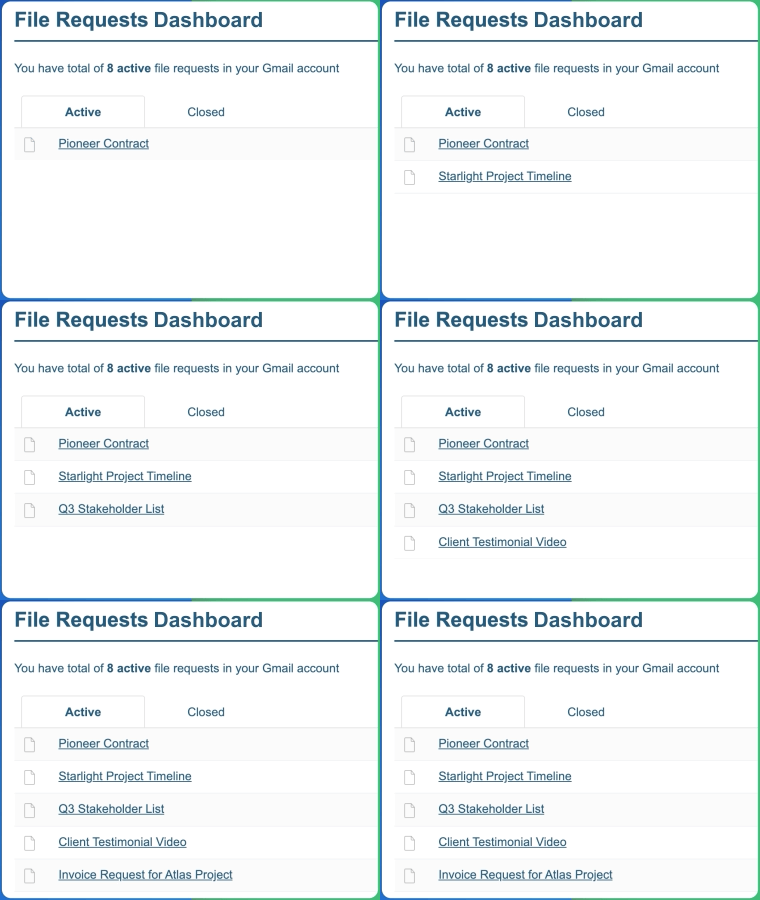
Manage All Requests From Your Dashboard
Track all your file requests from a single dashboard. Quickly see which requests are active, how many files each one has received, and when the latest upload arrived. You can pause or deactivate requests at any time, giving you a simple way to stay organized and keep every file collection process under control.
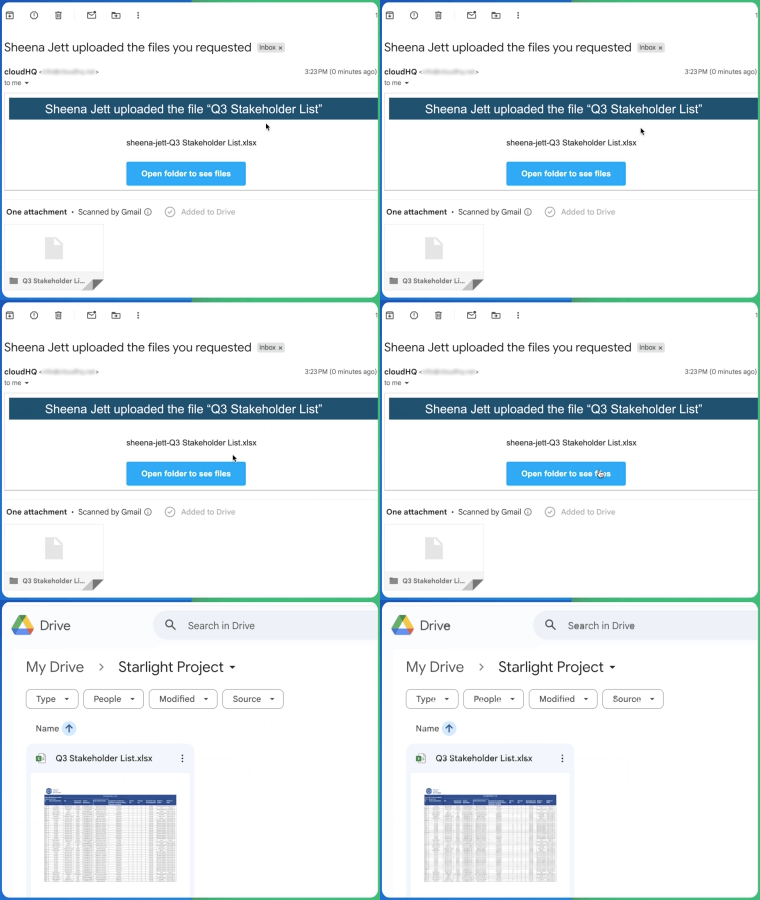
Instant Email Notification for New File Uploads
Get an email notification every time someone uploads a file through your request link. That way, you know the moment new files arrive without having to check Google Drive manually. Each notification includes the file name and the file request it was sent through, making it easy to stay on top of incoming documents in real time.
How to Pin the Extension to Chrome Browser
For quick access, you can pin File Request for Gmail directly to your Chrome toolbar so it is always one click away.
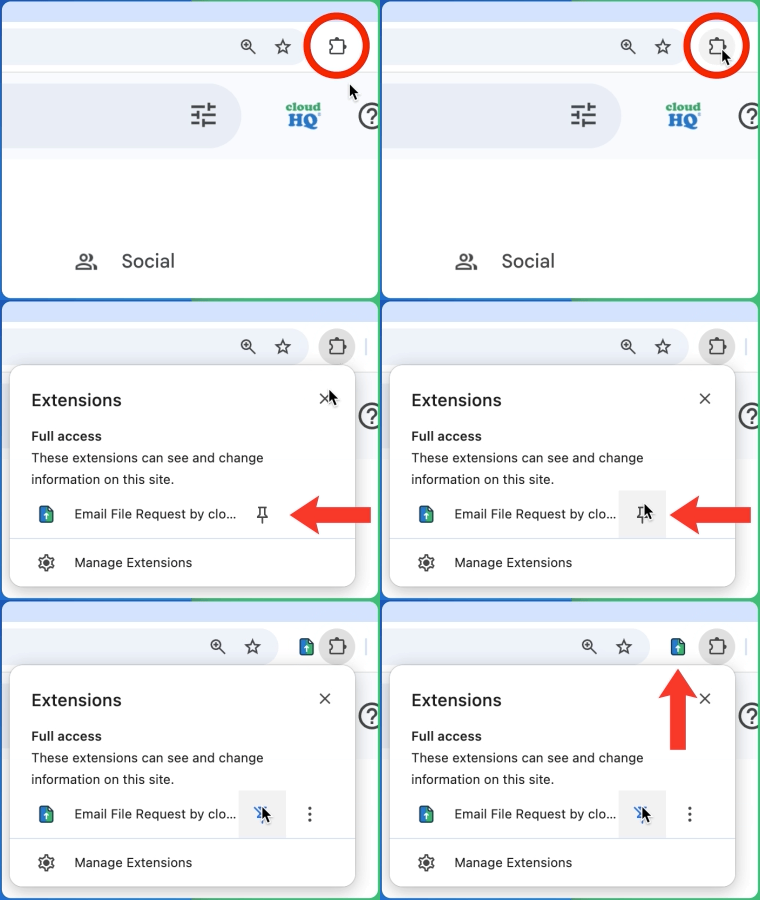
Open Chrome and click the Extensions icon at the top right of your browser. Find File Request for Gmail in the list, then click the pin icon next to it. The extension will now appear permanently in your toolbar.
Once pinned, you can access settings and manage the extension without opening menus. This keeps your workflow smooth while composing emails.
Works directly inside Gmail
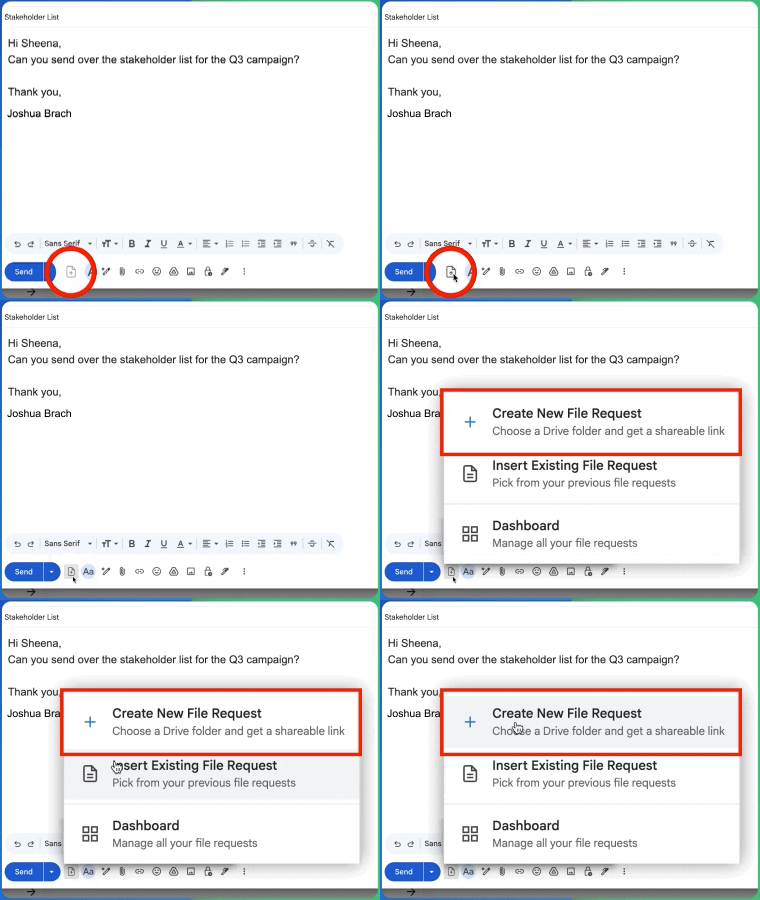
File Request for Gmail works right where you write your emails. A file request button appears in the Gmail compose toolbar and opens a setup panel without leaving your inbox. There is nothing new to learn and no separate app to open. It fits naturally into your existing email workflow so you can request files as part of any conversation.
5 Star Positive Reviews
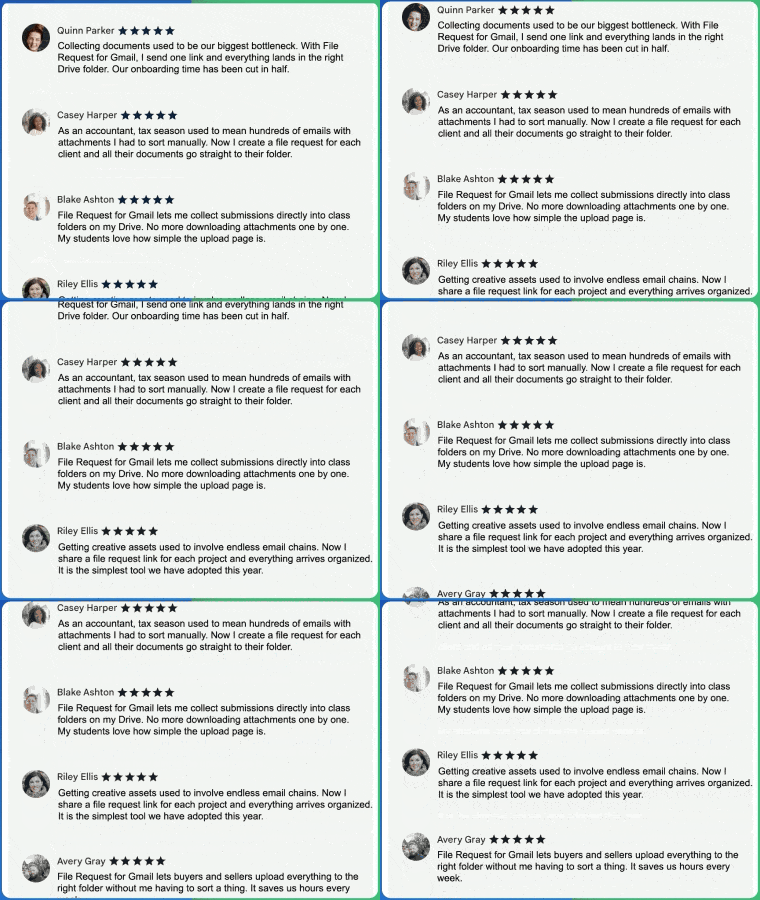
Users love how File Request for Gmail simplifies file collection and replaces messy email attachment threads with a more organized process. Customers highlight how easy it is to create request links, share them, and have files delivered directly into Google Drive. Across industries, professionals appreciate being able to collect documents without constant follow ups or manual sorting. From client onboarding to project management, File Request for Gmail helps streamline the way teams gather files.
Benefits
File Request for Gmail is a smart solution for anyone who needs to collect files from others without the hassle of email attachments. Teams can gather documents in one place, consultants can receive client files more efficiently, and educators can collect assignments directly into organized folders. Because the upload links work for anyone, even without a Google account, sending files is quick and easy. Whether you use Gmail for work or personal communication, File Request for Gmail makes file collection faster, cleaner, and far easier to manage.
Here are just a few ways people use File Request for Gmail every day:

Sales Professionals
Collect signed contracts, proposals, and onboarding documents from prospects and clients directly into organized Google Drive folders.
Marketing Teams
Gather creative assets, brand materials, and campaign files from agencies, freelancers, and team members in one central location.


Team Leads and Managers
Collect status reports, project deliverables, and documentation from team members without chasing email attachments.
Customer Support Teams
Request screenshots, logs, and supporting documents from customers to resolve issues faster and keep case files organized.


Recruiters and HR
Collect resumes, cover letters, references, and onboarding paperwork from candidates and new hires into dedicated folders.
Freelancers and Consultants
Request project briefs, assets, and feedback from clients in a professional way that keeps everything organized by project.


Educators and Students
Collect homework, assignments, research papers, and project submissions directly into class-specific Google Drive folders.
Small Business Owners
Gather invoices, receipts, tax documents, and vendor files without sorting through dozens of email threads.


Accountants and Finance Teams
Request financial statements, receipts, and tax documents from clients with upload links that organize files automatically.
Real Estate Professionals
Collect property photos, inspection reports, contracts, and buyer documents into organized transaction folders.

No matter your role or industry, File Request for Gmail helps you turn chaotic file collection into a simple, organized process that saves time and keeps everything in one place.
Frequently Asked Questions
How do I create a file request in Gmail?
Where do uploaded files go?
Do recipients need a Google account to upload files?
Can I use this with Shared Drives?
Is there a limit on file size or number of uploads?
Do I get notified when someone uploads a file?
Do I need any technical setup?
Can I deactivate a file request link?
How does File Request compare to just sharing a Google Drive folder for collecting files?
Testimonials
“I manage client onboarding for a consulting firm and collecting documents used to be our biggest bottleneck. With File Request for Gmail, I send one link and everything lands in the right Drive folder. Our onboarding time has been cut in half.”
- Jessica Patel, Client Success Manager
“As an accountant, tax season used to mean hundreds of emails with attachments I had to sort manually. Now I create a file request for each client and all their documents go straight to their folder. It has completely transformed my workflow.”
- David Chen, Senior Accountant
“I teach three classes and each one has weekly assignments. File Request for Gmail lets me collect submissions directly into class folders on my Drive. No more downloading attachments one by one. My students love how simple the upload page is.”
- Sarah Mitchell, University Professor
“Our marketing team works with a dozen freelancers and agencies. Getting creative assets used to involve endless email chains. Now I share a file request link for each project and everything arrives organized. It is the simplest tool we have adopted this year.”
- Marcus Williams, Marketing Director
“I run a real estate team and we deal with stacks of documents for every transaction. File Request for Gmail lets buyers and sellers upload everything to the right folder without me having to sort a thing. It saves us hours every week.”
- Emily Rodriguez, Real Estate Team Lead